SafeAppeals Documentation
Welcome to SafeAppeals—your AI desktop workspace for legal appeals, research papers, dissertations, and any complex document project.
Installation
Download and set up SafeAppeals on your computer in minutes.
First Steps & Tutorials
Open Help → Tutorials, try the sample case, and learn the standard case folder layout.
Core References & Private Search
Index policy manuals and case files on this computer—search without spending credits.
AI Case Manager
Learn how to chat with AI to research cases, draft documents, and analyze policies.
Credits & Billing
Understand how AI credits work and manage your usage.
Email Dashboard
Connect your inbox, attach case documents, send from the dashboard — agent can draft and organize, not send.
Local Git Backups
Optional Source Control history on this computer—never push confidential case data to a remote.
What is SafeAppeals?
SafeAppeals is a desktop workspace and AI assistant designed for complex document work. Available for Windows, macOS, and Linux, it brings together:
- AI That Remembers Everything — Chat with Claude, GPT-5, or Gemini. The AI understands your entire project—documents, notes, and prior answers.
- Native Editors — Edit Word, Excel, and PDF files directly. No app-switching.
- Project Organization — Keep all files, timelines, and notes in one place
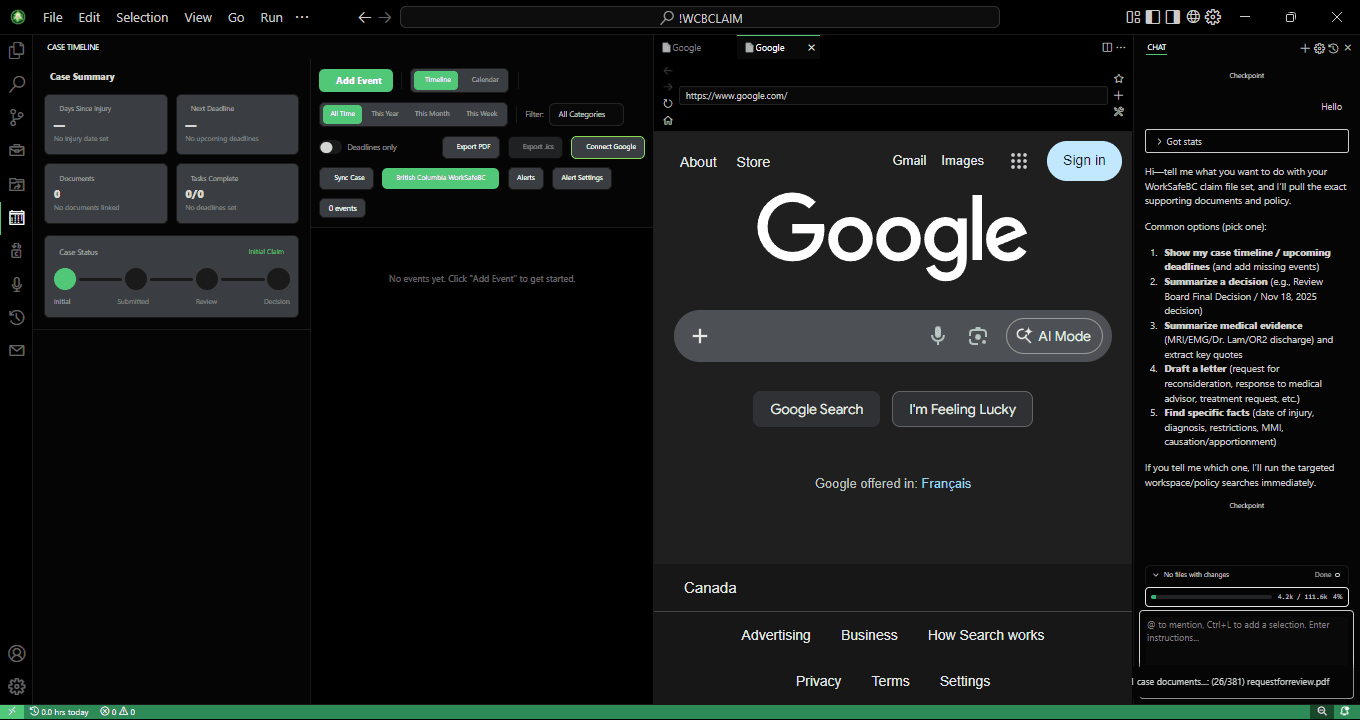
- Specialized Tools — Timeline tracker, file organizer, document converter, email dashboard, and Private Search on this computer
Built for legal appeals. Also perfect for dissertations, research papers, grant applications, and consulting projects.
Important Disclaimer
SafeAppeals is a research tool, not a law firm. AI-generated content may contain errors, hallucinated citations, or incorrect legal interpretations. Always verify information and consult with a licensed attorney before filing any legal documents.
Key Features
AI Case Manager
Switch between Ask, Agent, and Plan modes for different workflows. Agent can autonomously organize files and compile research; Plan designs the approach before implementation.
Case-Aware AI
The AI understands your case context, relevant files, and prior conversations to provide more relevant responses.
Native Document Editing
Edit Word docs, Excel spreadsheets, and PDFs directly—no switching to separate applications.
Case Briefs & Folders
Keep a root AGENTS.md case brief, snake_case case folders, and optional core_references/ for shared policy materials.
Private Search
Optional on-device index for case files and core references. Setup asks for consent before downloads; searching the private index does not spend credits.
Local Git Backups
Optional local commits for case history on this computer. SafeAppeals does not auto-init Git; never push client matters to a remote.
Getting Help
Need assistance? Here are your options:
- Documentation — You're here! Browse the sidebar for detailed guides.
- In-app Tutorials — In SafeAppeals, open Help → Tutorials (or the Get Started Tutorials CTA) for guided walkthroughs: Get Started with Safe Appeals Tutorials, Private Search on This Computer, Case Files and Documents, Email and Calendar, and Hearings and Audio. They use a sample case and do not spend credits.
- Video Tutorials — Watch guides on our YouTube channel
- GitHub Issues — Report bugs or request features
- Email Support — support@safeappeals.com